Build a Color Palette Generator from an Image with K-Means in Python
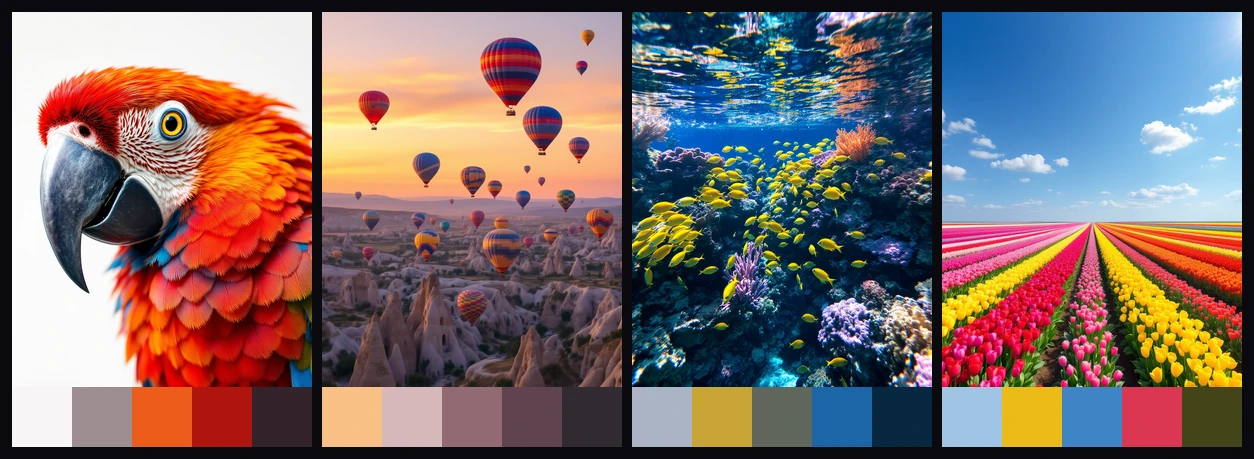
Every design starts with color. A palette sets the mood before a single word is read, and designers spend real time hunting for the right five colors. But you do not always have to hunt. Any image you love already contains a palette. You just need a way to pull it out.
Here is the whole idea in one picture. An image goes in, and its defining colors come out as a bar of swatches underneath.
The way to get there is a classic machine learning algorithm called k-means, and it takes about thirty lines of Python. Let us build it up one step at a time.
What is k-means clustering?
k-means is an unsupervised machine learning algorithm. Unsupervised means you do not train it on labeled examples. You hand it raw data and it finds the structure on its own. Its job is simple: given a pile of points, sort them into k groups so that similar points land together.
For a color palette, the points are pixels and similar means close in color. Tell k-means you want five groups, and it sorts every pixel in the image into one of five color families. The center of each family is one palette color.
No training. No labels. It just finds the groups.
The same algorithm shows up all over the place:
- Fraud detection, flagging transactions that do not group with the rest.
- Customer segmentation, sorting people by behavior or demographics.
- Document clustering, filing text by topic without anyone tagging it first.
Anywhere you want to group similar things without labels, k-means is a good first reach. Color is just an especially visual case.
Step 1: An image is just a bucket of colors
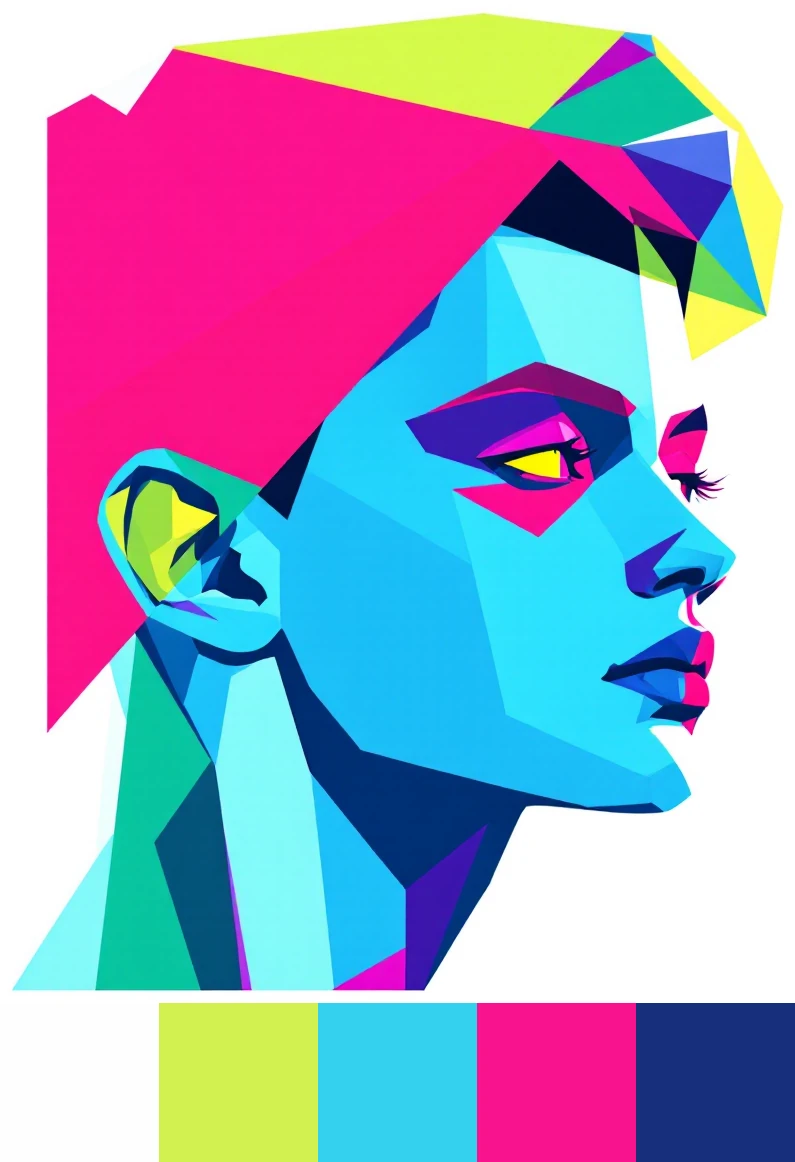
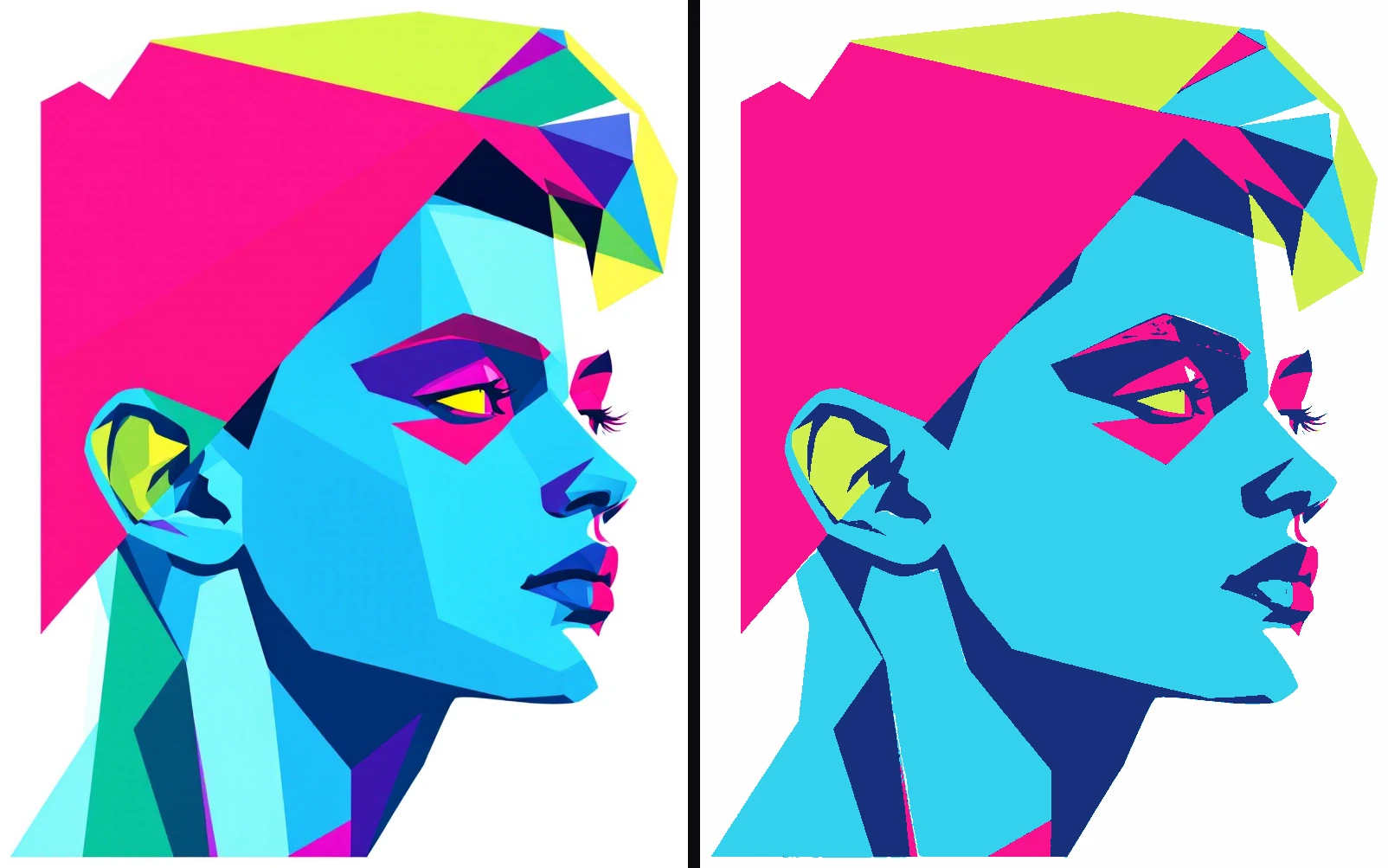
Start with a reference image. This is the one we will trace through the whole process.
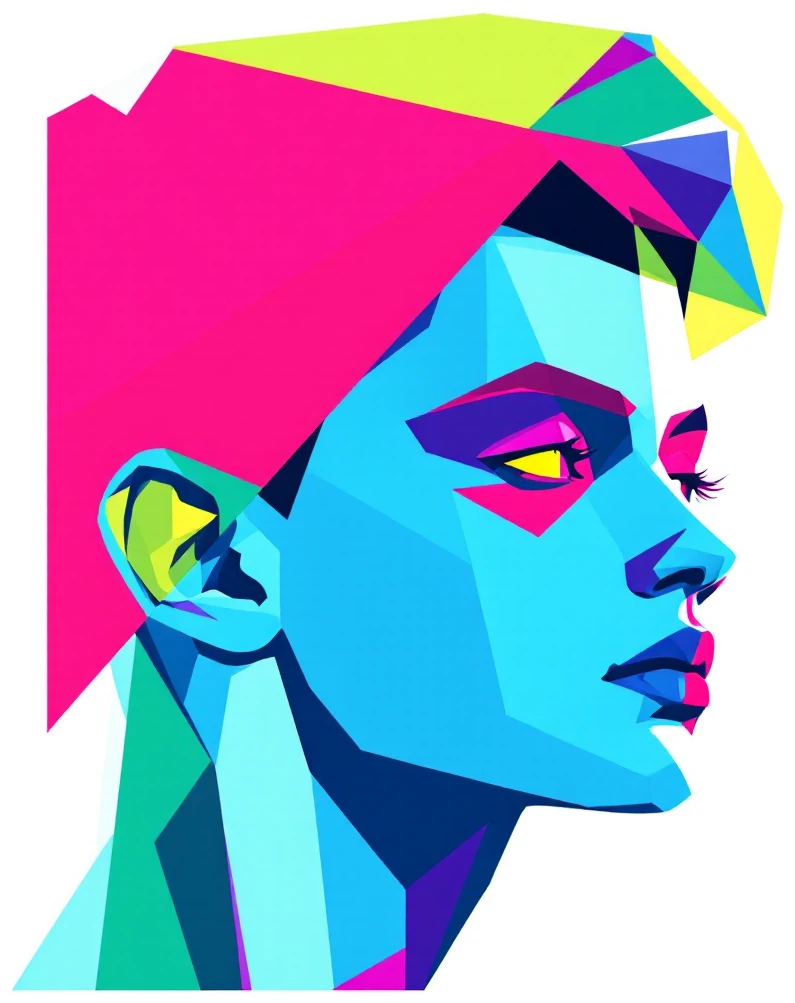
To a computer, this image is just a grid of pixels, and each pixel is three numbers: how much red, green, and blue it holds. Load it and flatten it into a plain list of those RGB triples.
from PIL import Image
import numpy as np

img = Image.open("portrait.png").convert("RGB")
img.thumbnail((200, 200))               # downsample: same colors, far fewer points
pixels = np.asarray(img).reshape(-1, 3) # one row per pixel: [R, G, B]
Downsampling first matters. A small thumbnail holds the same colors as the full image but a fraction of the pixels, so the clustering runs in a blink with no visible change to the result.
Step 2: Cluster the colors
Now hand those pixels to k-means. Picture every pixel plotted as a point in a cube, with red, green, and blue as the three axes. Pixels of a similar color sit near each other and form clumps. k-means finds those clumps.
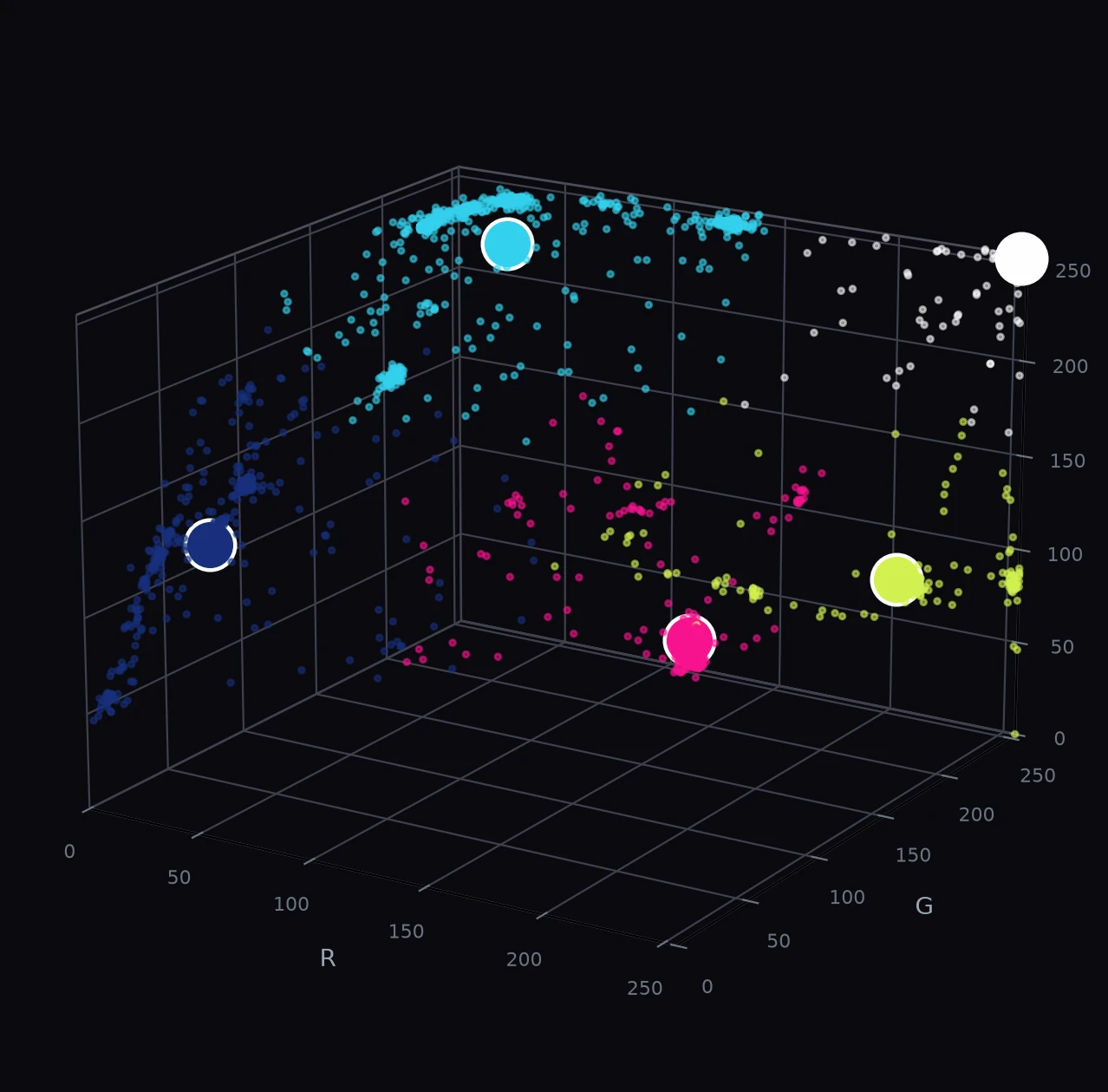
from sklearn.cluster import KMeans

k = 5
km = KMeans(n_clusters=k, n_init=10, random_state=42).fit(pixels)
That one fit call does all the work. It groups the pixels into k color families and finds the center of each.
One line of code. That is the whole computation.
Step 3: Read back the palette
Each cluster's center is the average color of everything in that group, and that average is a palette color. k-means hands them to you as cluster_centers_.
Two small touches make the result cleaner. Round the centers to whole RGB values, and sort them by brightness so the bar reads light to dark.
centers = km.cluster_centers_.round().astype(int)
luminance = centers @ np.array([0.2126, 0.7152, 0.0722])  # perceived brightness
palette = centers[np.argsort(-luminance)]                 # order light to dark
Step 4: Paint the swatch bar
The last step is to draw the colors as a row of squares under the image. Each swatch is a square whose side equals the image width divided by the number of colors.
w, h = img.size
sw = w // len(palette)
card = Image.new("RGB", (w, h + sw), (0, 0, 0))
card.paste(img, (0, 0))
for i, color in enumerate(palette):
    swatch = Image.new("RGB", (sw, sw), tuple(color))
    card.paste(swatch, (i * sw, h))
Stack the bar under the original and you have the finished card from the top of this post.
That is the entire technique.
The whole script
Here it is end to end, about thirty lines. Point it at any image and it writes out a palette card.
from PIL import Image
import numpy as np
from sklearn.cluster import KMeans

def color_palette(path, k=5, out="palette.png"):
    img = Image.open(path).convert("RGB")

    # 1. Flatten a downsampled copy into a list of RGB pixels
    small = img.copy()
    small.thumbnail((200, 200))
    pixels = np.asarray(small).reshape(-1, 3)

    # 2. Cluster the pixels into k color families
    km = KMeans(n_clusters=k, n_init=10, random_state=42).fit(pixels)
    centers = km.cluster_centers_.round().astype(int)

    # 3. Order the palette light to dark by perceived brightness
    luminance = centers @ np.array([0.2126, 0.7152, 0.0722])
    palette = centers[np.argsort(-luminance)]

    # 4. Paint a bar of square swatches under the image
    w, h = img.size
    sw = w // k
    card = Image.new("RGB", (w, h + sw), (0, 0, 0))
    card.paste(img, (0, 0))
    for i, color in enumerate(palette):
        card.paste(Image.new("RGB", (sw, sw), tuple(color)), (i * sw, h))
    card.save(out)

color_palette("portrait.png", k=5)
How many colors? Choosing k
k is the one knob that matters, and it is the only real decision you have to make. It is the number of colors in your palette. A small k gives you a few broad, dominant tones. A larger k teases out subtler shades. Here is the same three images at k of 3, 5, 7, and 10.
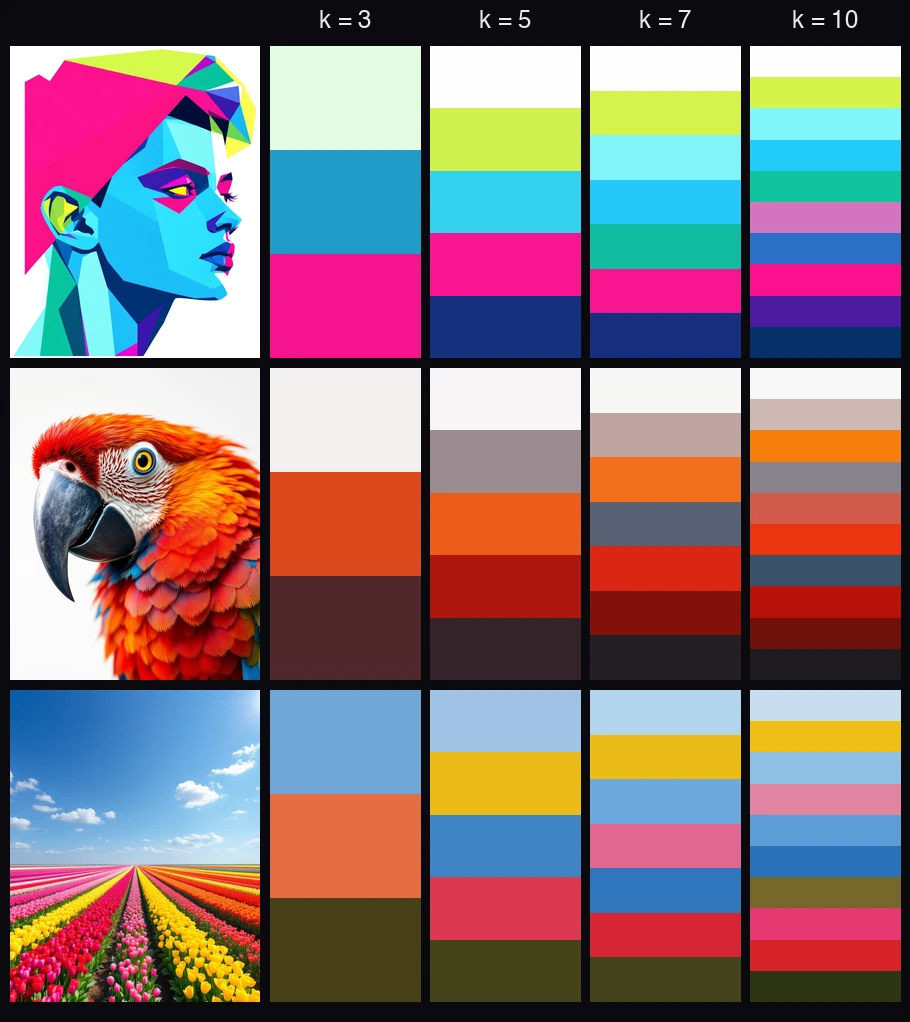
There is no single right answer. Five is a sensible default. Go lower for a bold, minimal palette, and higher when you want the full spread of an image's colors.
A few more examples
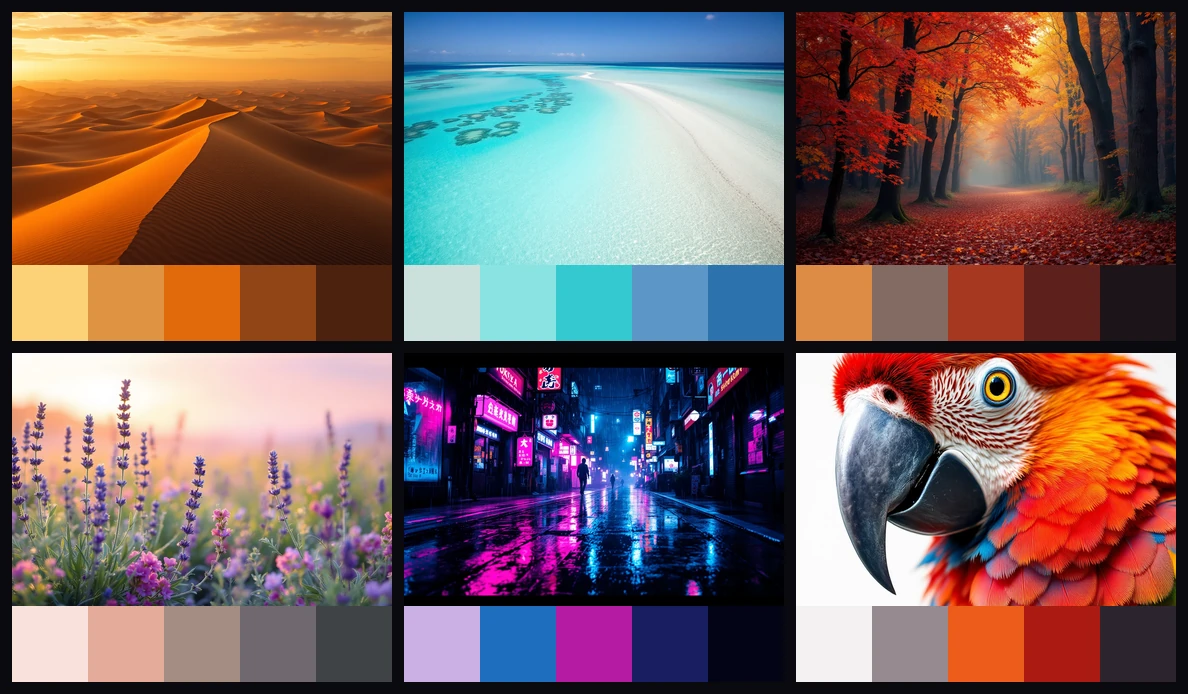
Point it at anything and it works, a sunset, a reef, a city at night. Same script, different image.
From a clever script to something you can rely on
A palette generator like this is a fun afternoon. Thirty lines, and you have turned any image into a set of colors. The interesting problem starts after that: batching thousands of images, holding up under strange inputs, and running the thing inside a product people actually depend on.
That gap, from a working notebook to something dependable in production, is the harder half. It is also what we do. If you are trying to cross it, let's talk.
Frequently asked
How do you extract a color palette from an image?›Cluster the image's pixels by color with k-means, then take the center of each cluster as a palette color.
What is k-means clustering?›k-means is an unsupervised machine learning algorithm that sorts data points into k groups so that similar points end up together.
How many colors should be in a color palette?›It depends on the look you want. Five is a good default.
What Python libraries do I need?›Three. Pillow (PIL) to load and draw the images, NumPy to reshape the pixel data, and scikit-learn for the KMeans algorithm.
Why use k-means instead of just counting the most common pixels?›Counting exact pixel values misses the point, because a photo can hold thousands of near-identical shades that no single pixel represents well.
Let’s build it together.
We turn clever prototypes into production systems people can rely on. If you’re building with agents and want a hand making it real, leave your email and we’ll be in touch.